
REVIEW · LOS ANGELES AUDIO TOURS
APP Self-guided routes West Coast with audio guide
Big journeys need a smart plan. This self-guided navigation app gives you driving routes, walking tours, audio commentary, and Google Maps points across California, Arizona, Nevada, and the West Coast. I like the freedom to set your own pace, and I like that one purchase covers a private group of up to five people. The main drawback is that this is not a guided vehicle tour or a bundled sightseeing package. You provide the car, fuel, admissions, and daily decisions.
The app is especially useful for families and independent road trippers. It offers routes in six languages, including English, Spanish, Portuguese, German, Italian, and French. The broad coverage is impressive, but you should study the route before setting off. The listed stops cover a very large area, and the stated eight to ten hours is best understood as an approximate use period, not enough time to see every West Coast destination in one day.
Key points before you buy

- One app covers a huge region: Routes connect Los Angeles, Las Vegas, the Grand Canyon, Arizona, Yosemite, San Francisco, Big Sur, Santa Barbara, and Santa Monica.
- Audio works with self-guided exploring: You can pair directions with commentary instead of following a fixed group schedule.
- Walking and driving routes are both included: Use the app in city neighborhoods, national parks, and long road sections.
- Up to five people share one group price: At $34.39 per group, the cost can be good value for a family or small party.
- You can build your own plan online: A web panel lets you adjust routes and store travel documents.
- Some costs remain yours: Admission charges, transport, parking, fuel, and other services are not included.
What this West Coast app really provides

Think of this experience as a digital road-trip companion rather than a traditional excursion. You do not board a coach, meet a local guide, or follow a group leader from one stop to the next. Instead, you receive access to a navigation app with points of interest, route instructions, geolocation, audio guides, and suggested walks.
That distinction matters. If you want someone else to handle the driving and timing, this will not replace a standard guided tour. If you prefer to stop for a photograph, skip a city, or spend longer at a viewpoint, the format gives you far more control.
The app also includes access to a web panel. You can use this to customize a route and keep travel documents in one place. That is a useful touch for a long holiday, particularly when your plans cross state lines and include both national parks and cities.
The strongest praise connected with the experience is practical. It is described as detailed, effective, and useful for planning a family trip. One person used it for San Francisco and found the self-guided route helpful throughout the day. That is the best way to approach it: use the app as a planning tool before your trip, then as a navigation and audio aid while you are out.
More Self-Guided Audio Tours in the USA
- Gettysburg Battlefield Self-Guided Driving Audio Tour
★ 4.5 · 910 reviews - Joshua Tree National Park Self-Guided Driving Audio Tour
★ 4.5 · 762 reviews - Ultimate Acadia National Park Self-Guided Driving Audio Tour
★ 4.0 · 521 reviews
Starting at Los Angeles International Airport
The stated meeting point is Los Angeles International Airport, at 1 World Way, Los Angeles, California 90045. The listed start time is 8:00 am, and the activity ends back at the meeting point.
Because this is an app-based experience, confirm how access works after booking and make sure your phone is ready before you leave. The provided details confirm a mobile ticket, but they do not describe a vehicle, a pickup service, or an in-person welcome.
Los Angeles makes a logical opening point. The route content covers Downtown Los Angeles, Hollywood, Beverly Hills, and Santa Monica, giving you a broad introduction to the city rather than limiting you to one famous street.
You will need to manage the order of your stops yourself. Los Angeles traffic can affect any fixed plan, and the app’s suggested sequence may need adjusting. The web panel should help you prepare, but the final timing depends on your driving speed, stops, road conditions, and how much time you spend walking.
Hollywood Sign and the central Los Angeles sights
The Hollywood section focuses on several of Los Angeles’s best-known areas and includes guidance for photographing the Hollywood Sign. That is more useful than it may sound. The sign is visible from many places, but the best photo point depends on your route and available time.
The planned visit is about one hour, with no admission charge listed. You can use that hour to connect Hollywood with Downtown and Beverly Hills, though the app may offer more points than you can comfortably fit into a short stop.
I like this part for first-time visitors who want an organized start without signing up for a rigid city tour. You can hear the audio guide while moving between points, then pause for your own photographs and walks.
The limitation is simple: Los Angeles is spread out. An hour may be enough for a selected stop, but not for a full look at Hollywood, Downtown, Beverly Hills, and Santa Monica. Treat the hour as a suggested portion of the route, not a promise that you will see the whole city.
Desert Discovery Center and the meteorite stop
The Desert Discovery Center is listed as a brief ten-minute stop. Its main feature is a meteorite that fell thousands of years ago.
This is a small stop, but it adds variety to a route dominated by major parks and cities. It may suit you if you enjoy unusual roadside points and short educational visits. There is no admission charge listed.
You should keep your expectations measured. Ten minutes is enough for a quick look, not a full museum visit. The supplied information does not specify opening hours, displays beyond the meteorite, or the exact route connection, so check current details before setting out.
Same place, a different route to walk:
- Los Angeles: Hop-On Hop-Off Bus Tour with Audio Guide
★ 3.7 · 2,030 reviews - City Sightseeing Hop-On Hop-Off Bus Tour with Audio Guide
★ 3.0 · 1,083 reviews - Medieval Torture Museum Ticket with Audio Guide and Ghost Hunting
★ 5.0 · 962 reviews - San Francisco: Alcatraz, Ferry & Audio Tour w/ Night Option
★ 4.4 · 617 reviews
Grand Canyon viewpoints in one short route segment
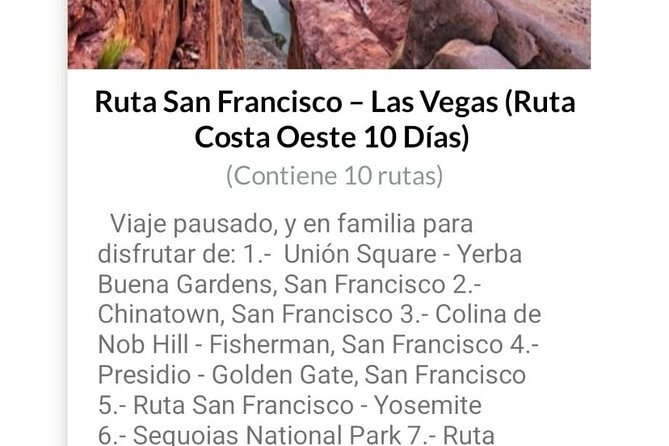
The Grand Canyon section covers the park’s viewpoints, with roughly one hour suggested and no admission included in the listed stop price. The app’s value here is its ability to direct you toward several viewpoints instead of leaving you to choose at random.
The canyon rewards short walks and repeated stops because each viewpoint changes the angle, color, and scale of the scene. Audio commentary can add context while you move between overlooks, though you should not listen while driving unless your phone setup is safe and legal.
One hour is a tight schedule for the Grand Canyon. It can work as a quick overview, but it is not enough for a relaxed park visit. You will also need to account for the national park entry fee, which is not included, along with parking and the time required to reach each viewpoint.
This is a good example of how to use the app sensibly: treat the suggested route as a framework, then decide which points deserve more time.
Antelope Canyon, Horseshoe Bend, and Arizona’s red-rock route
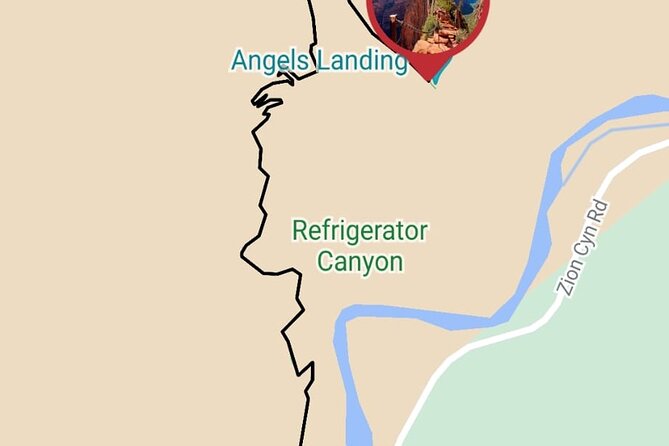
The Arizona section links Monument Valley, Bryce Canyon, Zion, Antelope Canyon, and Horseshoe Bend. It includes both driving directions and walking routes, which is valuable in an area where the best views often require leaving the car.
Antelope Canyon is the clearest cost warning in the route plan. Admission is not included. You should also verify access arrangements before making it the centerpiece of your day, since the supplied information does not state booking details, opening times, or which specific section of the canyon is covered.
Horseshoe Bend and the wider Arizona route work well as part of a road trip, but they are not quick add-ons to Los Angeles. The distances between these destinations are substantial, and the app cannot change that. Use it to organize a sensible multi-day plan rather than trying to force all the stops into one long day.
Las Vegas on foot
The Las Vegas section is designed around walking tours and points of interest. The suggested time is about one hour, with no admission charge listed.
That format gives you a useful break from driving. You can park, follow the walking route, and use the app to locate notable places without committing to a casino show or paid attraction.
One hour works for an introduction, but Las Vegas can easily fill an evening or several days. The app focuses on orientation rather than providing tickets, entertainment reservations, or other services. If you want a paid attraction, that cost remains yours.
Yosemite from Mammoth Lakes to Oakhurst
Yosemite receives both walking routes and a driving route from Mammoth Lakes to Oakhurst. This is one of the most useful sections for independent drivers because the park and its approaches can feel confusing when you are trying to combine scenic roads, viewpoints, and short walks.
The listed time is one hour, but Yosemite deserves more. Use that figure as an app segment, not a complete park visit. The route can help you connect a drive with selected walks, while the audio guide gives you something to listen to between points.
As with the Grand Canyon, you should allow extra time for traffic, parking, road conditions, and seasonal access. No park admission is listed as included. The app provides directions and points of interest, not a park shuttle, permit, ranger program, or transport service.
San Francisco, neighborhood walks, and excursions
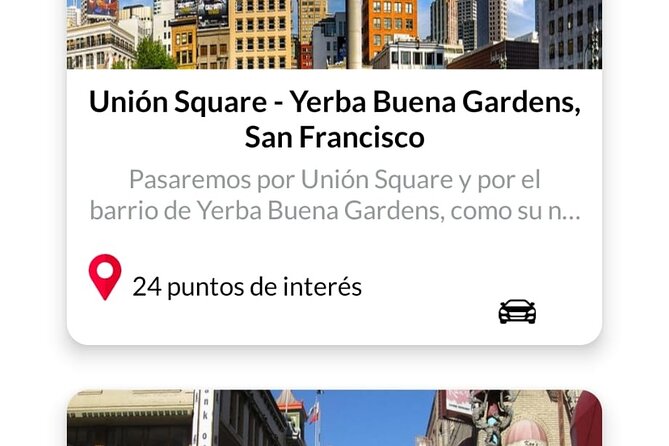
The San Francisco section includes the route from Yosemite, walks through different neighborhoods, and suggested excursions from the city. This is the part that received the clearest practical praise. The app was found useful for a San Francisco route because it provided detailed self-guided directions throughout the day.
That makes sense. San Francisco is best explored in pieces, and a walking route can help you link districts without wasting time deciding where to go next. The app’s geolocation points should make it easier to find the listed places, while the audio guide adds context without requiring a group schedule.
The suggested time is one hour, but that is not enough for several neighborhoods and an excursion. Use the city section over a full day or longer if your schedule allows. Admission is not included for the excursion section, so plan for separate costs.
Carmel, Monterey, and Silicon Valley
The route from San Francisco to Carmel passes Silicon Valley and companies such as Google and Facebook. It also includes a walking route in Monterey, a Monterey Peninsula tour, and points of interest along the way.
This is a nice mix of modern California and coastal California. Silicon Valley gives the drive a technology focus, while Monterey offers a more traditional town and peninsula experience. You can choose to emphasize the road journey or stop for walks.
The listed time is about one hour, with no admission charge. That is enough for a selected section, not the entire route from San Francisco through the peninsula. The app is most useful here when you use the web panel beforehand to decide which points match your interests.
Big Sur in a compact half-hour stop
Big Sur receives a shorter section of about thirty minutes. It covers points of interest along this famous coastal route, with no admission charge listed.
The short timing should not fool you into treating the drive as a quick transfer. Big Sur is a route where viewpoints and pauses matter, and you may want to stop often. Use the app to identify points, then give yourself room to enjoy them.
The route is especially helpful if you are driving from Monterey toward Santa Barbara and want a clear sequence of coastal stops. It cannot guarantee road access or traffic conditions, so check current conditions before you leave.
Santa Barbara to Santa Monica along the coast
The final coastal sections connect Monterey to Santa Barbara, passing through Solvang, then continue from Santa Barbara to Santa Monica. Santa Barbara has its own points of interest, while the final stretch focuses on coastal sights and viewpoints.
The Santa Barbara and Santa Monica portions are each listed at about thirty minutes. These are useful orientation segments, but they are not full city tours. You can use the app to choose a few stops and then add time where a place catches your interest.
Santa Monica is a natural finish because it returns you to the Los Angeles area. The route’s coastal focus gives the trip a clear ending, though the stated return point is Los Angeles International Airport rather than Santa Monica itself.
Audio languages and route flexibility
Audio is available in English, Spanish, Portuguese, German, Italian, and French. That is a strong feature for a private group with mixed language needs. Each person can follow the route at a comfortable pace without waiting for a guide to repeat information.
The app includes geolocation and links to Google Maps. Those tools matter because a long West Coast route involves more than sightseeing. You need to know where the next point is, how far it is from the current stop, and whether a walk or drive makes more sense.
The web panel adds another layer of flexibility. You can customize your own route and use the panel as a repository for travel documents. I would prepare the route before the morning start, especially if you plan to combine city walks with long drives.
Is $34.39 good value for up to five people?
At $34.39 per group, the price is reasonable if you are traveling with several people and plan to use more than one region. A family of five pays less per person than a private guided experience, while a solo user pays the full group rate.
The value comes from the breadth of the content, not from included services. You receive navigation, route ideas, audio, walking plans, driving plans, and access to customization tools. You do not receive transport, fuel, meals, park admission, attraction tickets, or any other service.
For a short Los Angeles visit, the price may be harder to justify if you only use the Hollywood and Santa Monica sections. For a wider California and Southwest road trip, the cost makes more sense because the same app covers multiple cities and parks.
Who should use this app?
I would recommend it to you if you:
- Prefer independent driving and walking
- Want to set your own timing
- Are planning a multi-stop West Coast road trip
- Travel as a family or private group of up to five
- Want audio in one of six languages
- Like having route documents and plans in one online place
I would be cautious if you want a fixed, escorted day tour with transport included. I would also avoid relying on the listed eight to ten hours as the total time needed for every destination. The route covers too much ground for that.
The activity is described as private, and most people can participate. Service animals are allowed, and the route is near public transportation, though you will still need to handle your own movement between points. Confirmation is provided at booking. The booking is non-refundable and cannot be changed, so check your dates and phone requirements carefully before paying.
Should you book it?
Book this app if you want a flexible road-trip organizer and expect to use several sections, especially San Francisco, Yosemite, the Arizona parks, or the coastal route. Its best qualities are the detailed self-guided structure, the family-friendly group price, the six audio languages, and the ability to customize your own plan.
Skip it if you want a driver, a human guide, included admissions, or a tightly timed one-day sightseeing tour. For independent explorers who accept responsibility for fuel, tickets, timing, and route decisions, it offers a practical way to bring a very large West Coast trip under control.
FAQ
Where does the experience start?
The stated start point is Los Angeles International Airport, 1 World Way, Los Angeles, California 90045, USA. The listed start time is 8:00 am.
Where does the experience end?
The activity ends back at the meeting point, which is Los Angeles International Airport.
How long does the experience last?
The approximate duration is eight to ten hours. The route content covers many destinations, so the suggested times for individual stops should be treated as route segments rather than enough time to visit every location in one day.
How many people can use one booking?
One booking covers a private group of up to five people.
Which languages are available for the audio guide?
The audio guide is available in English, Spanish, Portuguese, German, Italian, and French.
Are admission tickets included?
No. The experience includes the navigation app and self-guided routes, but it does not include other services. Admission is specifically not included for Antelope Canyon and the San Francisco excursion section.
Just added around the USA
- Self Guided Driving Audio Tour of Saguaro National Park★ 3.0 · 4 reviews
- Self-Guided Audio Driving Tour of Mount Lemmon★ 5.0 · 4 reviews
- Saguaro National Park Self-Guided Audio Tour★ 3.5 · 11 reviews
- A Self Guided Audio Tour in Tombstone★ 4.0 · 11 reviews
- Catskills Scenic Byway Self-Guided Driving Audio Tour★ 4.0 · 9 reviews
- Big Bend National Park Self Guided Audio Tour Guide★ 5.0 · 12 reviews
- Self-Guided Audio Driving Tour in Catskills Scenic Byway★ 4.5 · 7 reviews
- Shiloh Battlefield Self-Guided Driving Audio Tour★ 4.0 · 9 reviews
Self-Guided Tours, compared.

Acropolis Ticket & Optional Self-Guided Audio Tours
Read our review →


Ultimate Acadia National Park Self-Guided Driving Audio Tour
Read our review →


Santorini: Akrotiri Ticket with Optional Self-Guided Audios
Read our review →
Browse the lists this tour appears in