

REVIEW · FLORENCE AUDIO TOURS
Florence Self Guided Audio Tour
Florence rewards curious wanderers. This self-guided audio tour puts 70 city sights on your phone, from the Duomo and Ponte Vecchio to the Mercato Centrale and Boboli Gardens. I like the freedom to pause for a museum visit, follow a suggested walking route, or make your own way through town.
I also like the offline maps and audio, which help you avoid roaming charges and keep exploring when your signal fades. The low $12.09 price is attractive for independent visitors, though the app has some rough edges: audio narration can feel dry, and the map may be awkward to use on some phones.
A phone, headphones, and a little patience are the main tools you need. You will not have a live guide pointing out Florence’s details, so this works best if you enjoy setting your own pace and do not mind checking the screen now and then.
Key points to know before you start

- Seventy Florence sights in one app: The coverage includes famous landmarks, markets, churches, squares, bridges, and gardens.
- Offline access saves money: Downloaded maps and audio can work without mobile data, useful if you are avoiding roaming fees.
- You choose the route: Follow walking or bus routes, or create your own path between attractions.
- Best for independent sightseeing: You can pause the tour for a museum visit, lunch, or a rest without holding up a group.
- The map may frustrate you: Some users found centering and scrolling difficult, especially when trying to follow streets or transit lines.
- Bring your own earphones: Earphones, food, drinks, hotel transfers, and a separate audio device are not included.
Florence without a guide holding an umbrella

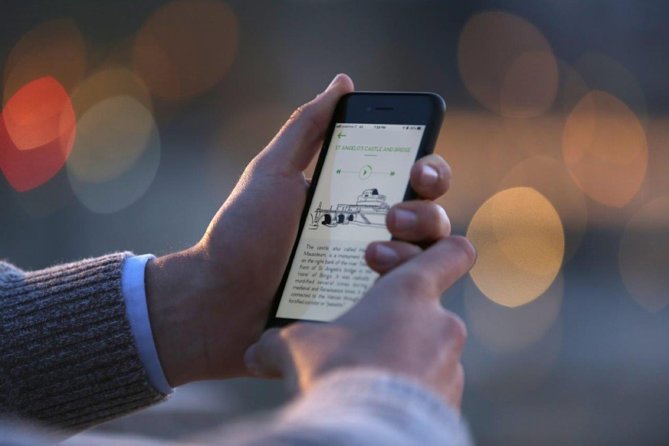
This is a digital sightseeing tool, not a traditional walking tour. You download the mobile app, open the Florence material, and use your own Android or Apple phone to play narration as you move around town.
The app covers 70 points of interest. That number matters because Florence is compact but packed with things worth noticing. You can focus on the major monuments, then use the extra stops to fill in quieter corners of your day.
The experience is offered in English. Audio stories are presented as local-history explanations, with curiosities, small jokes, and occasional sound effects. That light touch can make the material easier to follow than a plain list of dates and names.
Still, expectations matter. The audio is not consistently polished. Some narration may sound like it was recorded by a regular speaker rather than a trained actor, and several explanations may feel shorter than you want. If you enjoy detailed art and architectural commentary, you may need a museum guidebook or another source alongside this app.
The tour is described as a private activity because only your group uses it. In practical terms, that means you are not joining strangers or keeping pace with a scheduled crowd. It does not mean a personal guide will meet you in Florence.
More Self-Guided Audio Tours in Italy
- Self Guided Tours Florence With 100 Captivating Audio Stories
★ 3.5 · 5 reviews - Florence: The curious Oltrarno, Self-Guided Audio tour
★ 3.5 · 4 reviews - Florence Self-Guided Audio Tour
★ 3.5 · 3 reviews
Bargello and San Lorenzo set the tone
The route includes audio about the Bargello, one of Florence’s important art and sculpture sites. The app gives you a useful starting point before you decide how much time to spend there.
You can listen outside, continue on foot, or use the information as a primer before entering. The audio does not replace a full museum visit, but it can help you understand why the building belongs on your route.
The Basilica di San Lorenzo is another early highlight. This church sits in a part of Florence where several major sights can fit into one walking day. A short explanation here can add meaning to what might otherwise look like another grand stone church.
The app’s value at these stops is convenience. You do not have to arrange a timed guide or find a meeting point. The drawback is that you must manage the transition yourself, including when to stop the narration and when to resume it.
Two additional stops in the supplied route information do not have names attached to them. That suggests the full app contains more coverage than the named highlights, but you should not assume every point will have the same depth or detail.
The Duomo and Giotto’s Campanile
Florence’s cathedral complex is the natural center of this audio route. The Duomo of Florence and Giotto’s Campanile both receive their own historical commentary.
At the Duomo, the audio can help you look past the famous facade and think about the building’s place in Florence. You can start the narration before approaching the square, pause while taking photographs, and then continue when the crowd or street noise makes listening easier.
Giotto’s Campanile gives you a second perspective on the same cathedral complex. The separate stop is useful because the bell tower is more than a supporting structure beside the church. You can compare the two explanations and take your time looking upward rather than rushing through the square.
The app is especially handy here because this area can become a stop-and-start part of your day. You may want photographs, a museum visit, or simply time to look around. A self-guided recording can wait while you do those things.
Do not confuse audio commentary with admission. The supplied information does not include entrance tickets, reservations, or access inside any attraction. The app explains the places, but it does not cover food, drinks, or other costs connected with visiting them.
Piazza della Signoria and Ponte Vecchio

Piazza della Signoria is one of Florence’s key public spaces, and the audio stop gives you a reason to slow down rather than treat it as a passage to somewhere else.
This is a good place to use the app’s short stories and curiosities. Listen for a few minutes, then put the phone away and study the square on your own. The format works best when the narration adds context without taking over your entire visit.
The Ponte Vecchio offers a different kind of stop. The bridge is one of Florence’s most recognizable views, so the best use of the app may be to play the history as you approach, then pause for photographs and the river views.
The app also points you toward photo locations around the city. That is a practical feature for anyone who wants help finding good angles without paying for a photography tour. The information provided does not promise professional photography instruction, so think of this as location guidance rather than a camera lesson.
Because these central sights are connected by city streets, the walking routes may be more useful than the bus options for this part of Florence. Still, having bus itineraries in the same app can help when your feet need a break or when you want to connect to a farther stop.
More Self-Guided Audio Tours in Florence:
- Florence: Duomo & Bell Tower Self guided with Audio Guide
★ 4.0 · 3 reviews - Palaces and Piazzas: A Self-Guided Audio Tour of Florence
★ 5.0 · 2 reviews - Athens: Acropolis Ticket & Optional Self-Guided Audio Tours
★ 4.1 · 2,542 reviews - Gettysburg Battlefield Self-Guided Driving Audio Tour
★ 4.5 · 910 reviews
Mercato Centrale, Palazzo Pitti, and Boboli Gardens

Mercato Centrale brings a more everyday side of Florence into the route. The audio can give you context as you move through the market area, while you make your own choices about whether to eat, browse, or continue sightseeing.
Food is not included, so budget separately if you plan to stop for something. That is hardly a flaw in a self-guided product, but it is worth remembering because the market naturally invites an unplanned snack.
Across the river, Palazzo Pitti and Giardino di Boboli broaden the experience beyond the cathedral district. The audio gives you a way to connect these major places to the wider story of Florence without needing to book another guide.
Boboli Gardens also make a strong pause point. You can stop the tour while walking through the gardens, resume it later, or simply use the app for the historical explanation and explore at your own speed. The pause function is one of the most useful features for a day that includes museum visits.
The app does not include entry to Palazzo Pitti or Boboli Gardens. It also does not provide hotel pickup or drop-off. You are responsible for reaching each place, which is simple in principle but requires you to watch the map and plan your order.
Walking routes, buses, and the map problem

You can follow prepared walking routes or create your own route between points. That flexibility is a major reason to choose this over a fixed group tour.
The app also includes bus itineraries and points near public transportation. The practical benefit is clear: you can combine central walking with public transport rather than spending the entire day on foot.
The weak point is map handling. One account describes the city map as difficult to center, forcing repeated map rotation to work out which street to follow. Another found that scrolling toward transit lines made the map disappear. These are not minor annoyances when you are standing at a busy intersection trying to choose a direction.
I would download the app and its content before leaving your accommodation. Keep a basic sense of your next destination, and treat the phone map as a helpful aid rather than your only means of navigation.
The app uses geo-tagging to show where you are and help prevent you from getting lost. Location accuracy is not perfect on every device, especially on Android phones, where the app has reportedly crashed more than once. Carrying a separate offline city map or noting your next stop is sensible, even though the app itself includes offline maps.
Audio quality and how to get the most from it

The audio has several appealing touches. The stories are presented with enthusiasm, small jokes appear from time to time, and sound effects may clarify a point. This keeps the format from feeling like a list of dates read aloud.
At the same time, the delivery can be dry. Some recordings may sound less polished because the speakers are not professional actors. Explanations can also feel brief if you want detailed accounts of architecture, artists, or politics.
I would use the app in short sections. Listen while walking toward a landmark, pause at the entrance, and look carefully before moving on. This keeps the screen from taking over your day and makes the audio a useful layer rather than a constant distraction.
Bring your own earphones. They are not included, and neither is a separate audio device. A phone speaker may be difficult to hear around traffic, crowds, or public squares.
The app works on Apple and Android devices, but the reported technical problems are worth noting. One Android user experienced repeated crashes and inaccurate location tracking. If you use Android, download everything before your sightseeing day and allow extra time for occasional troubleshooting.
What $12.09 gets you

At $12.09 per person, this is inexpensive compared with a private human-led tour. The price makes sense if you plan to visit several of the 70 points and use the walking, bus, photo, and WiFi information.
It is less valuable if you want long, detailed explanations at every monument. The content may be enough for orientation and basic context, but it is not designed to replace a specialist guide or a full museum audio system.
The free WiFi locations are a useful bonus. They may help you reconnect if you need to check something online, though the main audio and maps can work offline. That offline function is the strongest money-saving feature because it can reduce mobile-data use and roaming charges.
The tour is available for roughly one to eight hours. That wide range reflects the self-guided design rather than a fixed schedule. You can use it for a short introduction to Florence or spread the stops across a full day, depending on your plans.
The stated start time is 12:00 am, which appears to indicate flexible access rather than a requirement to meet at midnight. The meeting location is given broadly as the Metropolitan City of Florence, and the activity ends back at that meeting point. Because there is no live guide, check the app instructions at booking and prepare your starting point before heading out.
Who should choose this audio tour?
I would recommend it to independent visitors who like choosing their own pace, want basic historical context, and prefer a phone-based guide to a scheduled group. It is also a good fit if you plan to mix walking with public transportation or want to pause for museums, meals, and photographs.
It may suit first-time visitors who want a broad introduction to Florence. The list of 70 stops gives you plenty of options, and the named highlights cover the city’s best-known sights.
I would be cautious about recommending it to anyone who needs flawless navigation or polished narration. The average rating is 3 out of 5 from five submitted ratings, and the specific problems are clear: dry delivery, awkward map controls, Android crashes, imperfect location tracking, and explanations that may not go far enough.
The no-refund policy also matters. Once booked, the experience cannot be canceled or changed for a refund. Since the price is low, the financial risk is limited, but you should still confirm that your phone is compatible and that you want a self-guided format before paying.
Should you book the Florence Self Guided Audio Tour?
Book it if you want a low-cost companion for exploring Florence independently. The 70 points, offline access, flexible routes, and pause function give you genuine freedom, and the app can add useful stories to famous places such as the Duomo, Ponte Vecchio, Palazzo Pitti, and Mercato Centrale.
Skip it if you expect a polished professional narrator, detailed scholarship, or a map that works perfectly every time. For the best result, download the content before you go, bring earphones, keep a backup sense of direction, and use the audio as a helpful companion rather than your entire Florence plan.
FAQ
How much does the Florence Self Guided Audio Tour cost?
The price is $12.09 per person.
How long does the audio tour last?
You can use it for approximately one to eight hours, depending on how many stops you visit and how slowly you explore.
How many points of interest are included?
The mobile app covers 70 points of interest across Florence.
Is the tour available in English?
Yes. The experience is offered in English.
Can I use the app without mobile data?
Yes. The app includes offline digital maps and can operate completely offline, helping you avoid roaming charges.
Does the tour include public transportation routes?
Yes. It includes bus itineraries as well as walking itineraries.
Are earphones included?
No. You need to bring your own earphones. Audio devices are not included either.
Can I cancel or change the booking?
No. The experience is non-refundable and cannot be changed for any reason after booking.
Just added around Florence
- Uffizi Gallery Audio-Guided Visit with optional Accademia Gallery★ 3.5 · 42 reviews
- Florence: Uffizi Gallery Reserved Ticket & Digital Audio Guide★ 4.5 · 3 reviews
- Florence: Uffizi Gallery Audio Guided Tour led by Tour Leader★ 3.5 · 6 reviews
- Uffizi Combined Ticket:UFFIZI, PITTI, BOBOLI & digital audioguide★ 4.0 · 26 reviews
- Florence: Uffizi Gallery Timed Entry Ticket with Audio★ 3.0 · 3 reviews
- Accademia Gallery Skip the line Tickets with Audio Guide★ 4.0 · 10 reviews
- Florence Walking Tour with Audioguide on Your Smartphone★ 4.5 · 9 reviews
- Florence Baptistery & Opera Museum Audioguided tour with guide★ 3.5 · 41 reviews
Self-Guided Tours, compared.

Acropolis Ticket & Optional Self-Guided Audio Tours
Read our review →


Ultimate Acadia National Park Self-Guided Driving Audio Tour
Read our review →


Santorini: Akrotiri Ticket with Optional Self-Guided Audios
Read our review →
Browse the lists this tour appears in